
You provide
- Plant CAD files (Navisworks, SmartPlant, AVEVA E3D, etc.) and P&ID files where available
- Existing SOP documents, however informal
- A process engineer's time for review sessions
SIMS · Playable format
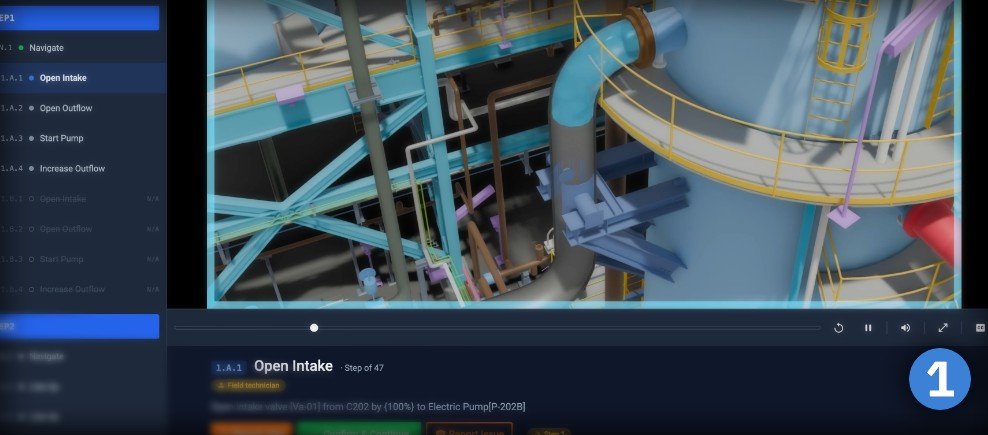
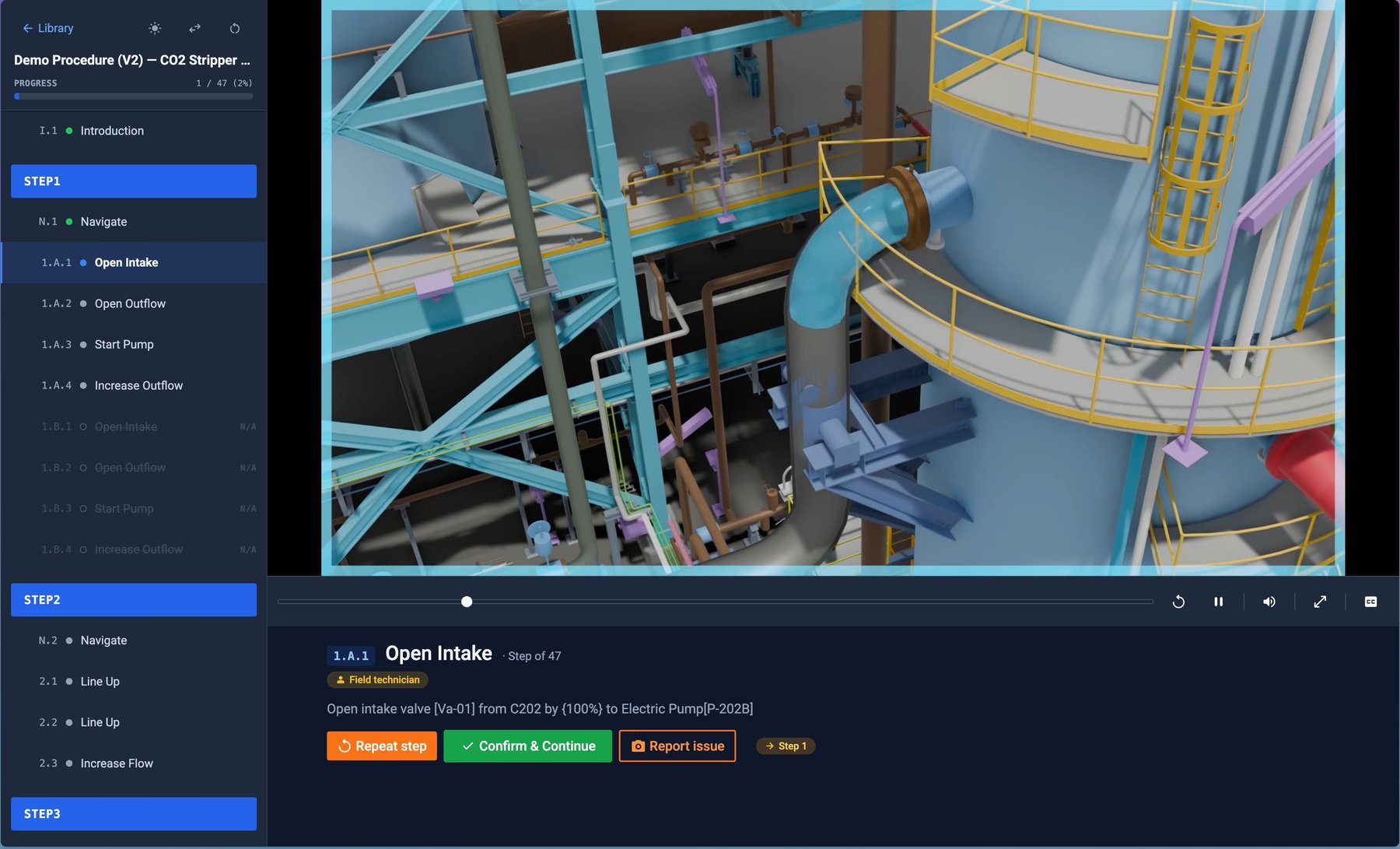
An OpeNimationTM is what a procedure becomes in SIMS: an annotated 3D animation of the work, cut into steps, each carrying its own clip, its written instruction and a spoken version of it.
The player shows one step at a time and moves on only when the responsible role confirms it. The same file plays as an operations run, a training run, or a coordinated session between field and panel — and every play-through leaves a record.
Each step plays its own segment of the master animation — the exact equipment, the exact action with exact details, not a lengthy video.
Instructions are narrated from the step text, so the operator's eyes and hands stay on the equipment.
Actions, notes, warnings and decision points look different and behave differently — cautions are read, not skimmed.
Who confirmed each step, when and on which device, with any issue raised against it — kept as the run record, without a form to fill in afterwards.
The format
From master animation to playable steps
one annotated 3D render of the whole procedure, start to finish
uses prepared, extracted time-codes to find the segments of each step, and match them with the right rows.
cuts the animation into clips and matches each clip to its step
playable steps with role gating and step-by-step confirmation
Anatomy of a step · from the player
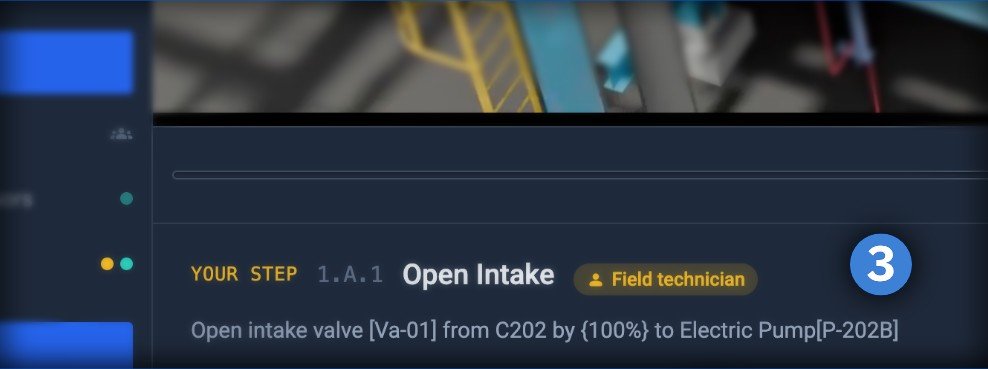
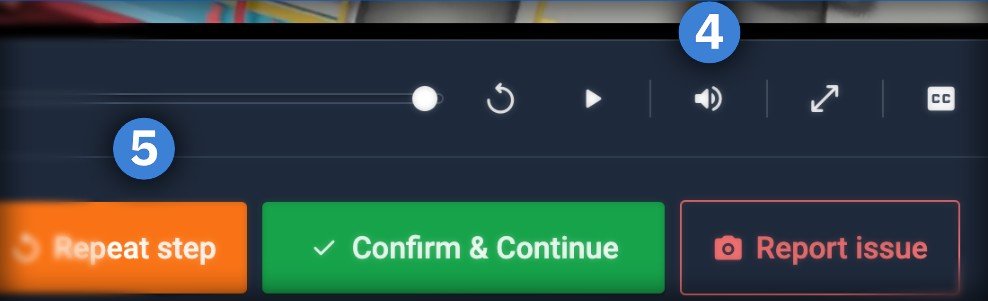
What the operator gets, every time
How an OpeNimationTM is made
SIMS is delivered with its content. Our team takes your plant's CAD files and existing SOP documents and — working alongside your process engineer — turns them into rich, annotated 3D animations of each procedure, with human models for correct scale and action. No filming on site, no drafting from scratch, and nothing for your team to model.
Plant CAD files and the SOPs you already have, reviewed with your process engineer.
Our animation team renders the activity in 3D — annotated, to scale, with a human model demonstrating each action.
Our copywriters draft two sets of clear, digestible instructions — one written to be heard, the other to be read — for accuracy at the equipment.
The final animation is composited into motion-graphics annotated video files, then integrated with data derived from the SOP documentation to create interactive checklists — organised and played back on our platform.
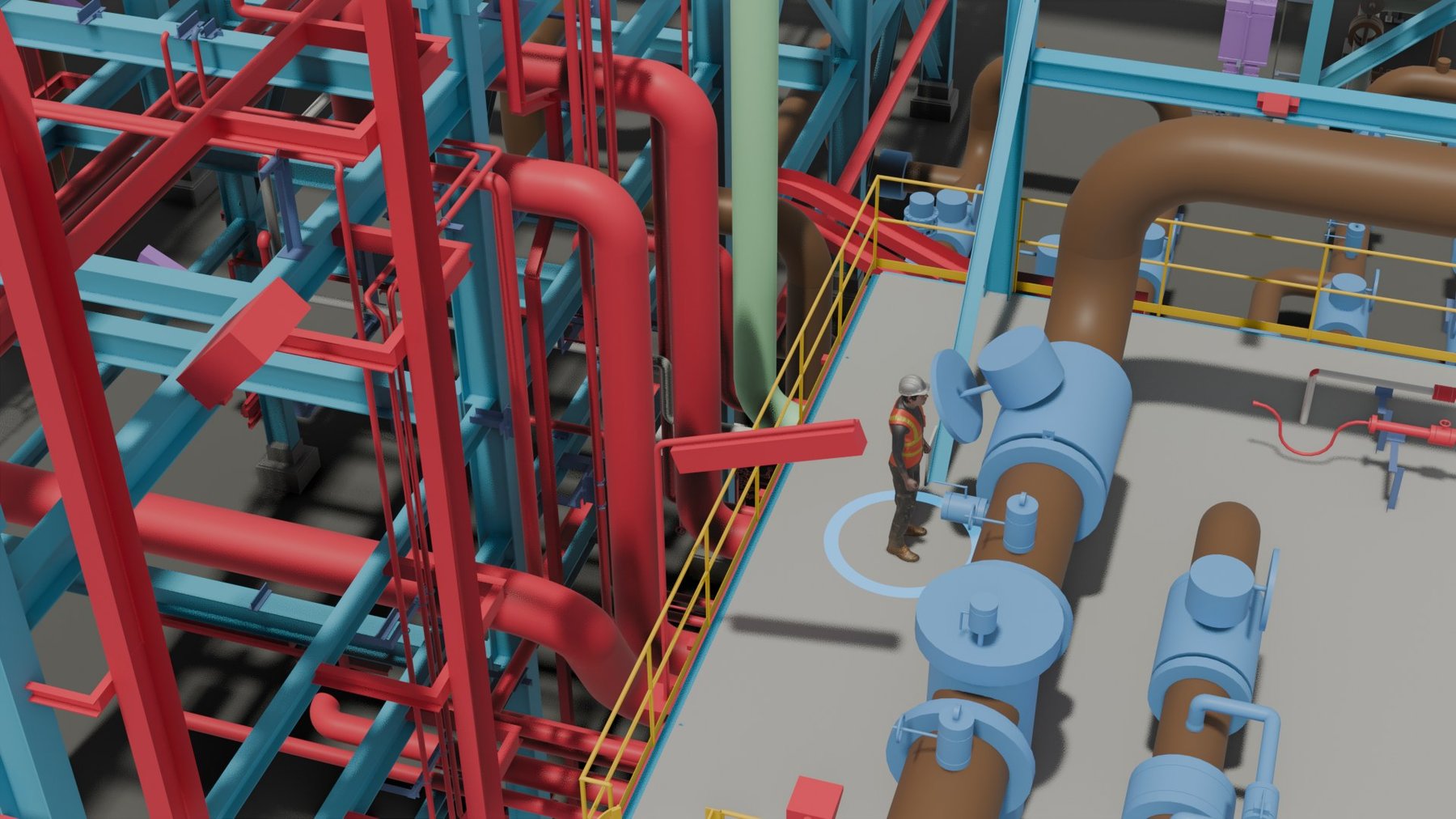
Three ways to play
The same OpeNimationTM plays for a technician alone at the equipment, for a new starter learning the job, and for a field-and-panel crew working the procedure together. What changes is who confirms, what gets recorded, and where it counts.
The operator sees the current step, hears it, does it, confirms it. Nothing advances until the role that owns the step says so. A run interrupted by a shift change or a dropped connection resumes at the same step with its history intact.
New staff walk the exact procedure they will later perform — same clips, same narration, same confirmations — without it counting as a production run. Supervisors can see who has trained on what, and require it before a first live assignment.
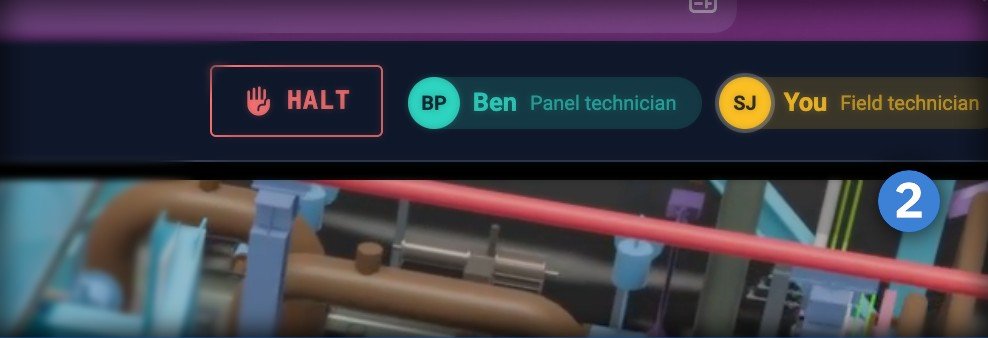
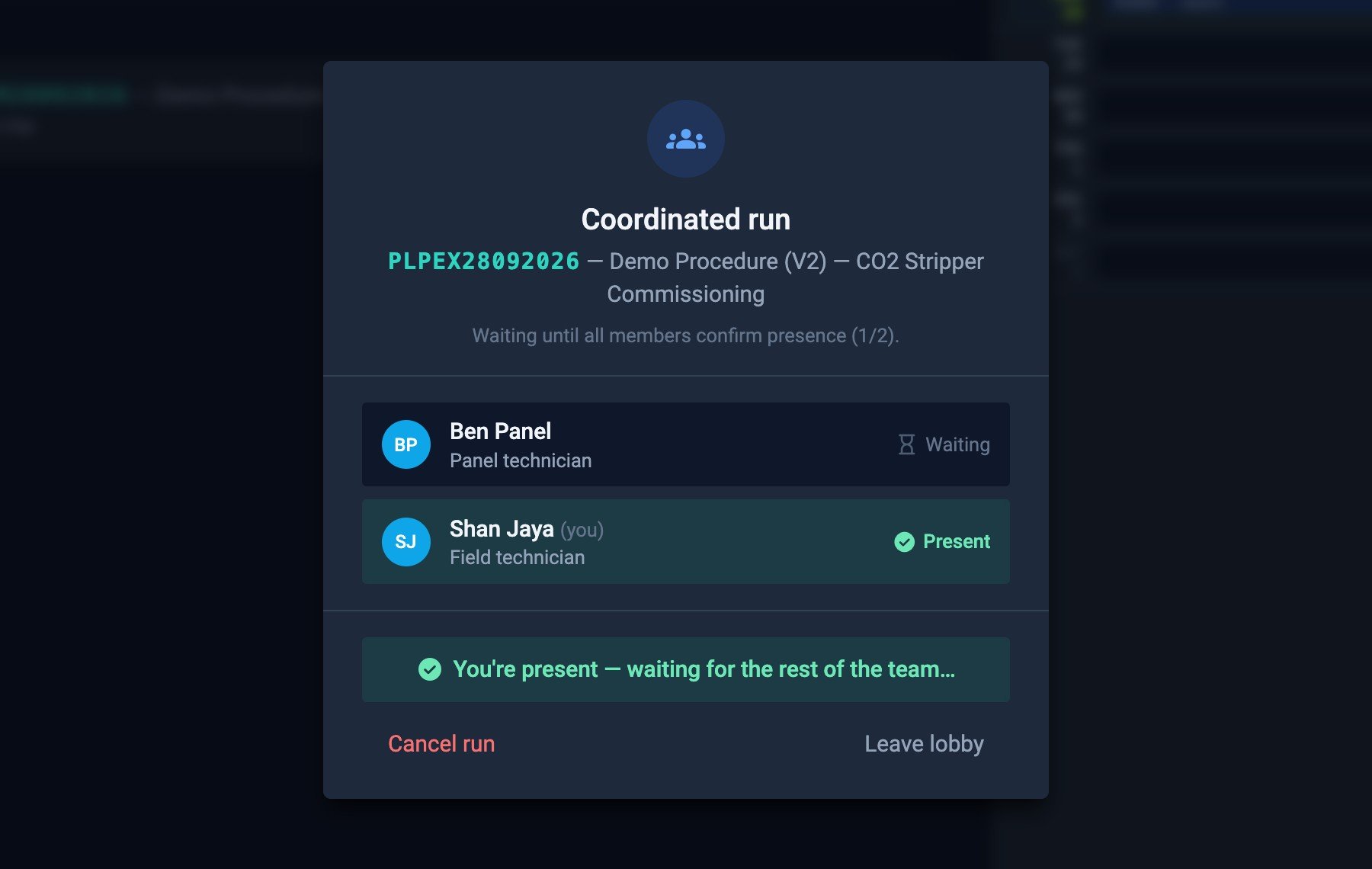
Participants join a lobby with a short code and take a role. Everyone sees the same step list; each confirms their own steps and watches the other side's confirmations land live. Decision points become recorded branch choices; anyone can request a halt for the supervising engineer to decide on.
OpeNimationTM plays in a standard web browser — nothing to install, nothing to keep updated. The same player works on the tablet at the equipment, the panel PC in the control room, a phone in the field and a desktop in the office, on any operating system — and a run started on one device can be picked up on another.
Guided execution
At the equipment, the operator sees the current step: the clip from the master animation, the written instruction and a spoken version of it. Nothing advances until the step is confirmed by the role it belongs to.
Steps that are notes or warnings are visually distinct from actions, so cautions are read rather than skimmed. A training mode lets new staff walk the same checklist without it counting as a production run.
Each step plays exactly its own segment of the procedure animation — the operator sees the valve, the panel, the reading, not a 20-minute film.
Instructions are narrated automatically from the step text, regenerated whenever the wording changes.
Anything unexpected is raised against the step it happened on, with the run paused until it is dealt with.
A run interrupted by a shift change or a dropped connection is picked up at the same step, with the history intact.
Many procedures are a conversation between the field and the control room. SIMS runs them as one coordinated session: participants join a lobby with a short code, each takes a role, and the checklist advances only when the responsible people have confirmed their step.
Decision points become branch choices recorded with who made them; anyone can raise an issue or request a halt, with a severity and reason, for the supervising engineer to decide on.
Field and panel technicians see the same step list; their own steps are highlighted and the other side's confirmations appear live.
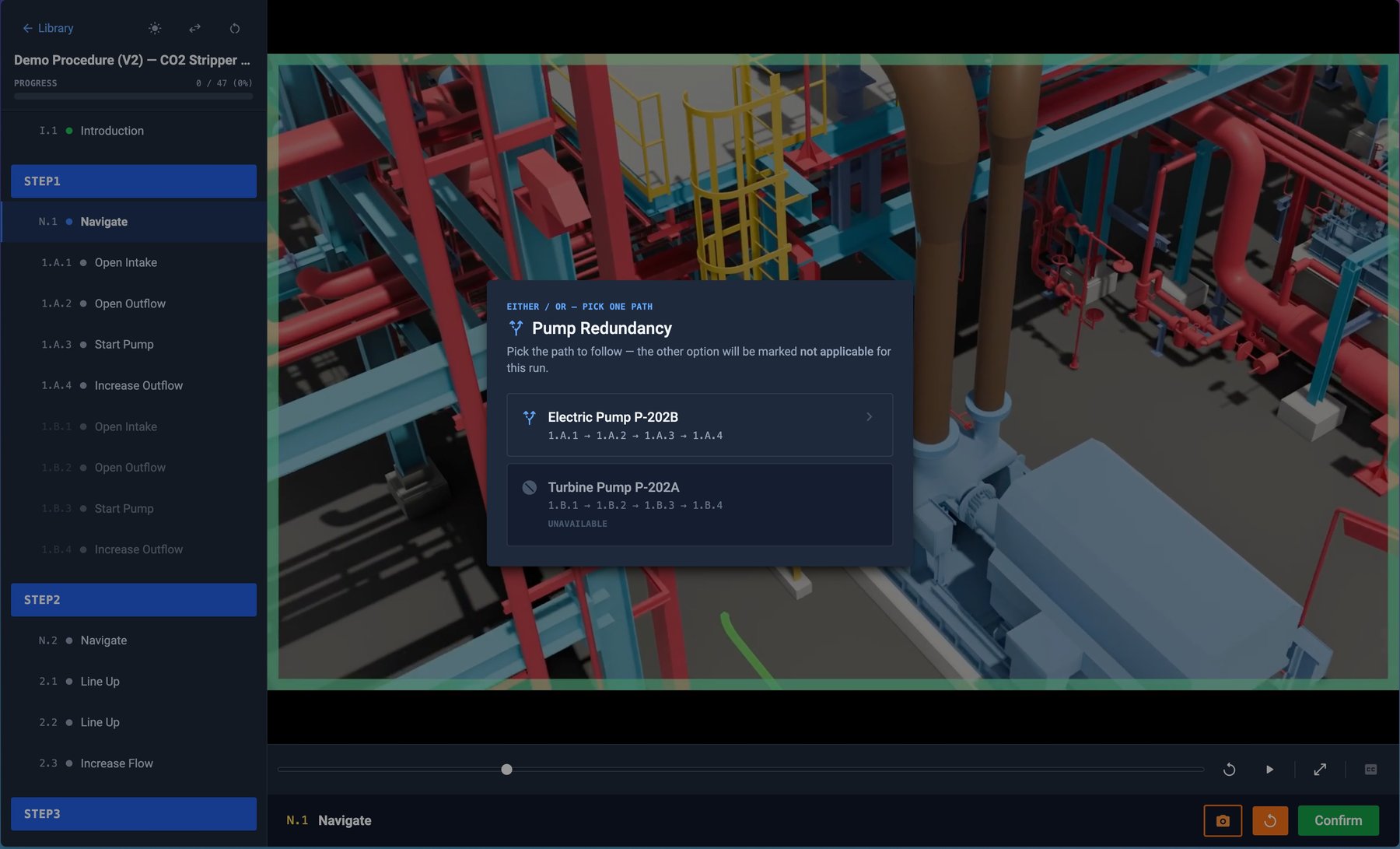
Where the procedure forks — abnormal reading, alternate route — the choice, the chooser and the time are captured with the run.
A halt request carries a severity, a reason and the step it was raised at; the supervisor's decision and message go back to every participant.
A meeting link can be attached to the session so voice stays with the checklist instead of a separate radio channel.
Inside SIMS
One approved procedure, and everyone reads it
ExploreStandard Operating Procedures (SOP), interactive and auto-reporting
Back to overviewNext step
Hand us one CAD model and one SOP; our content team returns it as a playable procedure you can run in training mode.